Your AI Chief of Staff
How to build a personalized AI system that takes mental load off your plate — step by step.
What Is an AI Chief of Staff?
A chief of staff is the person behind the scenes who keeps everything running — knows your schedule, anticipates what you need, handles the stuff that eats your time. Traditionally, that's a human. An expensive one.
This guide is about building that for yourself using AI. And what makes it different from every "how to use ChatGPT" tutorial: it's not a template. You build it with your AI, based on how YOU actually work, what drains you, and what you're trying to achieve. The result gets better the longer you use it.
(I know that sounds like a lot. It's not.)
Setup
A couple of things before you dive in:
- You'll need a paid Claude subscription. Grab one here: claude.ai/subscribe
- Install Claude Code using the official setup guide: Claude Code Setup Guide. Follow the instructions for your operating system and come back when you're done.
- Open your terminal. (Mac: Cmd + Space, type "Terminal," hit enter. Windows: search "Terminal" in your Start menu.)
- Type this exactly, hitting enter after each line:
mkdir my-chief-of-staff
cd my-chief-of-staff
claude - You should see a Claude Code prompt waiting for you. That's it. You're in.
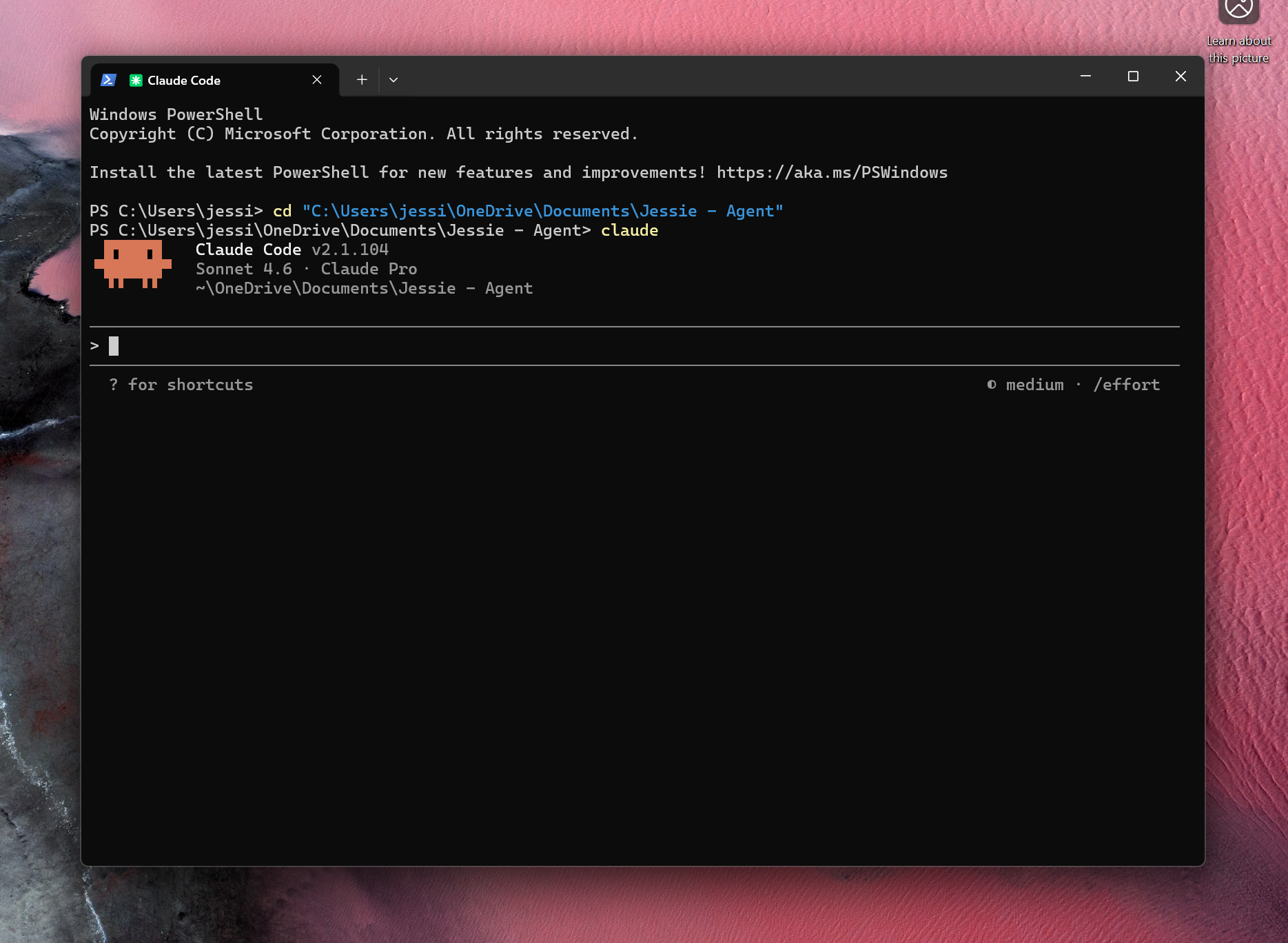
What your terminal should look like once Claude Code is open and ready.
Tell It Everything — Before You Start
Before you open the terminal, do this first. Copy the prompt below, open Notes (or any text app), paste it in, and fill out your answers. Be honest — there are no right answers. The more specific you are, the better this works.
I'm setting up an AI chief of staff to help me stay organized and take mental load off my plate. Before we build anything, I want to tell you everything about how I work so you can actually be useful to me.
About me and how I work:
My typical day looks like: [describe your rough daily routine — when you wake up, how your day flows, when you stop working]
My energy levels: [when do you think best? when do you crash? e.g. "I do my best thinking in the morning, I'm useless after 3pm"]
My week: [any patterns? e.g. "Mondays are heavy with calls, Fridays I'm done by noon"]
How I like to receive information: [short and direct? detailed? bullet points? just tell me what to do?]
What I'm working on right now: [your job, side projects, goals — whatever's relevant]
What I need help with:
Tasks I spend a lot of time on that I wish I didn't: [be specific — e.g. "scheduling, remembering follow-ups, figuring out what to work on each day"]
Things I always forget or drop the ball on: [e.g. "replying to emails, tracking who I owe a response to"]
What stresses me out most about staying organized: [be honest]
What I'm hoping my AI chief of staff actually does for me: [dream a little — what would feel like a miracle?]
My guidelines — how I want you to work with me:
- Be proactive. Don't wait for me to ask — if something needs doing, flag it or do it.
- Keep responses short and direct unless I ask for more.
- Never ask me something you can figure out yourself.
- If you take an action, log it so I know what happened.
- Push back if I'm getting in my own way.
- [Add your own — what drives you crazy? what should it never do?]
Based on everything above, suggest 3 things you could start helping me with right now. Start small — I want wins, not a system I'll abandon in a week.
(The "dream a little" question usually surfaces the thing you actually need. Pay attention to what comes out of you there.)
(The guidelines section is the part that makes it YOURS. Don't skip adding your own.)
Fill it out somewhere you can type freely — then paste the whole thing into Claude Code at once.
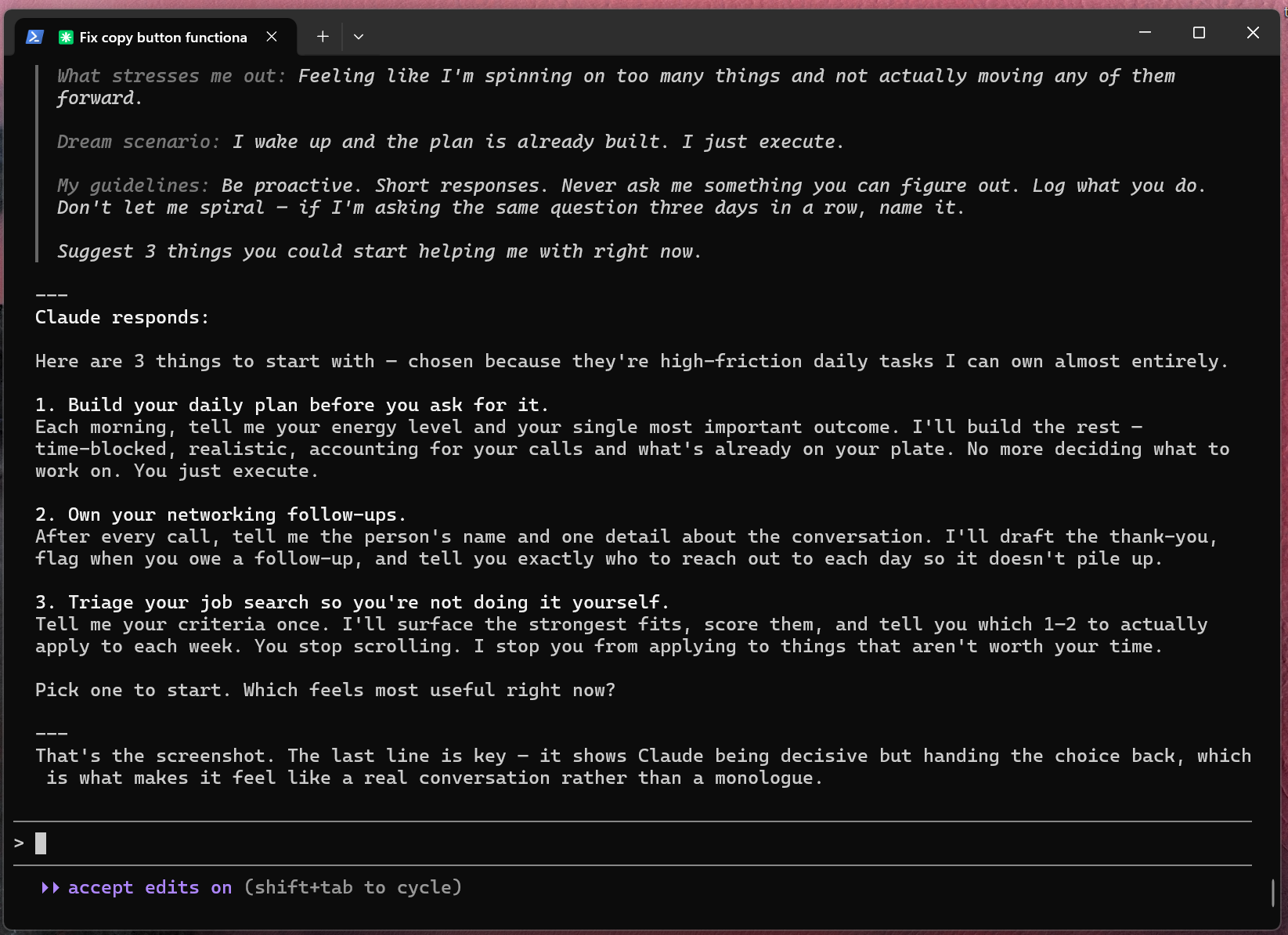
Claude gets the full picture at once and comes back with a real, personalized plan.
Decide Where Your Day Lives
Before you get too far, there's a practical question worth thinking about: when your chief of staff builds your daily plan, where do you actually want to see it?
There are three options, and the right one depends on how you work.
- In the chat The simplest version. Claude lays out your schedule as a time-blocked plan right there in the conversation — you read it, you know your day. Nothing to set up, nothing to maintain. Works great if you're just getting started or if you mainly want the thinking partner piece and don't need it to live anywhere persistent.
- Google Calendar events If you live in your calendar, this might be the most seamless fit. Claude creates actual calendar events — they show up on your phone, sync everywhere, and slot into your existing workflow. Takes a bit of setup (you'll need to connect Claude to your Google Calendar), but once it's running, your AI-built plan and your real calendar are the same thing.
-
A custom web app
This is what I built for mine, and honestly it changed how I use the whole system. Instead of scrolling through a chat to find my plan, I have a dashboard — a simple webpage that shows my day, my tasks, whatever I've told it to track — always there, always current. Claude writes and updates the code itself; you just open it in a browser.
It's a bit more to build upfront. But it means your chief of staff isn't trapped inside a terminal window. It feels like a real product, because it is one.
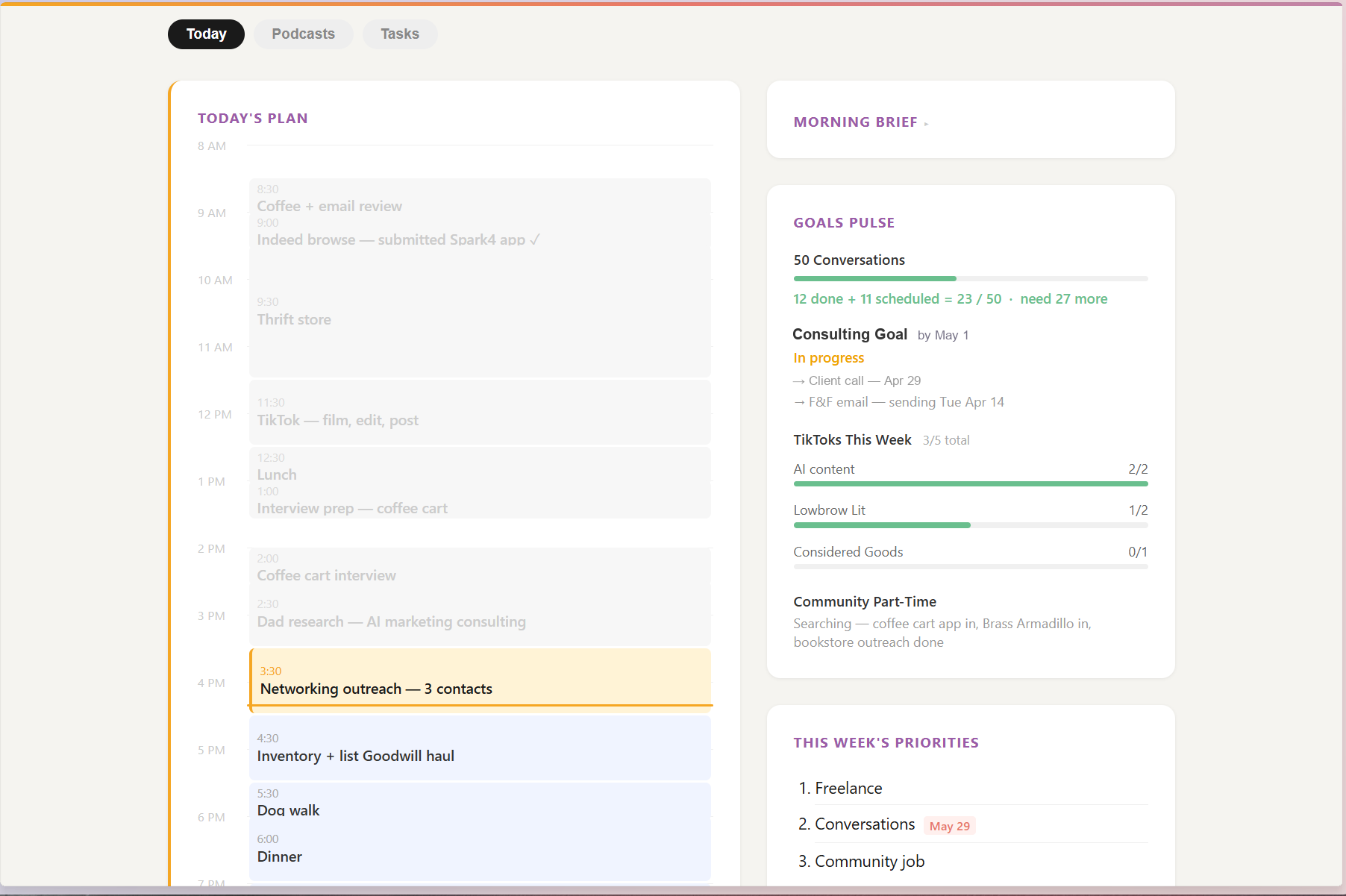
My dashboard — built by Claude, updated every morning. Opens in a browser like any other webpage.
Start Small, Let It Evolve
You just gave your AI a lot to work with. Here's what NOT to do: try to build the entire system in one sitting.
Pick one thing from the list it suggested. One. Work with it for a few days. See what breaks, what feels off, what you wish it did differently — then tell it. That feedback is how the system gets better.
This isn't a product you set up once and forget. It's a working relationship. The version you have in a month will look nothing like what you built today, and that's exactly how it's supposed to go.
-
To talk to your chief of staff, always go back to the terminal.
Open it, type
cd my-chief-of-staff, then typeclaude. That's how you start a session. If you close the terminal, it's not running — you have to start it back up. - This is where you share everything. New tasks, feedback, updates on your day, things that aren't working — all of it happens right there in that terminal window. Talk to it like you'd text a person.
- You can tell it anything mid-conversation. "That response was too long." "Stop asking me that." "From now on, always do X." It learns as you go.
- It has memory. Claude Code automatically saves context about you and how you work behind the scenes. Just always come back to the same folder and it picks up where you left off.
The goal isn't a perfect system. The goal is a useful one.
(You've got this.)
Was this guide helpful?
Still have questions? Submit them here.
Let's stay connected.
Created by Jessie Yorke — AI consultant and builder.